PROFINET Commander runs as a PROFINET I/O controller (conformance class B, real time – RT) on a PC with an easy to use graphical user interface. With PROFINET Commander, users can test and build a PROFINET network and quickly connect I/O Devices without PLC programming.
Features
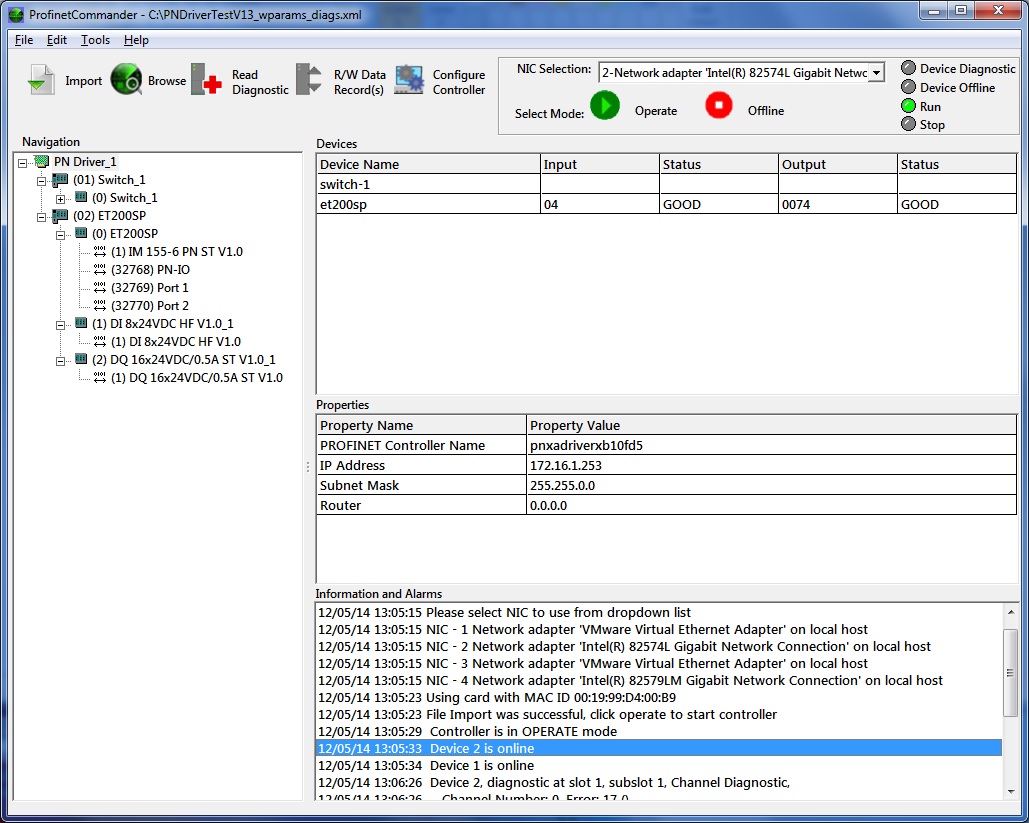
Click to enlarge
- Configuration information
- I/O data
- Parameters
- Diagnostics and alarms
- Read inputs from the devices
- Change the output data on the I/O devices
- Browse the network
- Set names and IP addresses
- Flash LEDs and reset to factory settings
Users gain the ability to test and set up a PROFINET IO Device, test wiring (I/O Checking) and/or systems from their PC before putting into production. For developers of PROFINET I/O devices, the added benefit of using the tool is simple testing of their product for correct operation and diagnostic functionality prior to PROFINET certification testing and final product release.
Watch a Tutorial
Latest Release: PROFINET Commander V5.2.0.2 [May 2025]
- PN Stack Update to V3.2
- Byte swap now possible with echo functions
- Updated License manager for easier usability
Previous Release: PROFINET Commander V5.2.0.1 [September 2024]
- Fixed issue with device number and diagnostics if the number was changed
- Began adding maintenance info to alarm processing and will improve in upcoming versions
Previous Release: PROFINET Commander V5.2.0.0 [June 2024]
- PN Stack Update to V3.1
- Npcap Update to 1.79 OEM (bugs fixed for fast update rates)
- New Feature – Controller supports setup of PN Security class 1 features (GSX package, DCP Read Only, SNMP disable/enable)
- Fixed TIA Portal (17,18,19) GSD error text scanning
- Fix for File cancel bug where device offline would be cleared